
Features · Team Communication
Everything your team says, plans, and shares — in one app
Group chat, private DMs, RSVPs, volunteer signups, quick polls, and event attachments — every conversation tied to a real event on the calendar.
Team Communication
Every conversation in one place — from game reminders to carpool coordination.
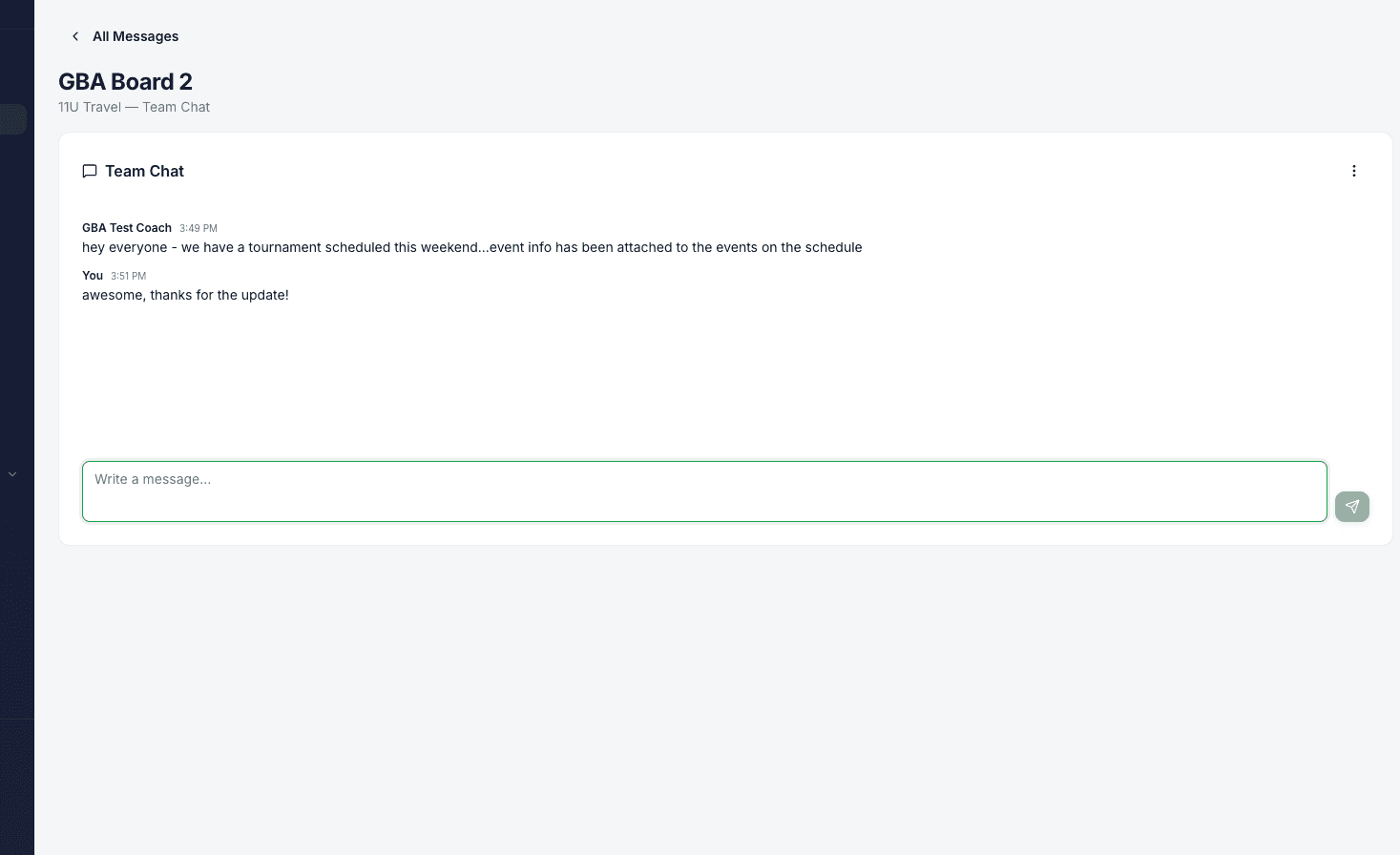
Team Chat
Group chat between coaches and parents on each team. Off by default; a coach turns it on for their team when they want it.
Direct Messages
Private 1:1 messages between coaches and parents (and between parents) — coordinate carpools and quick questions without sharing phone numbers.
Broadcasts & Announcements
Admins and coaches can send one-way announcements to a team, a league, or the whole org — perfect for weather cancellations and season kickoff notes.
Notifications That Actually Notify
Native push, email, and an in-app inbox — with the mute controls people actually need so nobody drowns and nobody misses the game-day cancellation.
Native Push on iOS & Android
When you install the LeagueHero mobile app, notifications land on your phone in real time — the same way you'd expect from any modern app.
What Triggers a Push
New chat message, direct message, RSVP reminder, waitlist offer, booking approval, schedule change, or field cancellation. If it matters, it pings.
Email Fallback
Every notification is also available by email so families without the app installed still get the important stuff.
In-App Inbox with Unread Badges
Every push and email is also captured in the in-app inbox with unread badges on the sidebar so nothing gets buried, even if you dismissed the notification.
Per-Team Mute
Coaches and parents can mute a specific team's chat and notifications — perfect for one kid's off-season while another kid is in-season. Auto-unmute at a time you set.
Per-User Preferences
Each user picks which notification categories they want by push, by email, or both — from the profile settings, no admin required.
Attendance & Volunteers
Know who's coming to every event and share the game-day workload fairly.
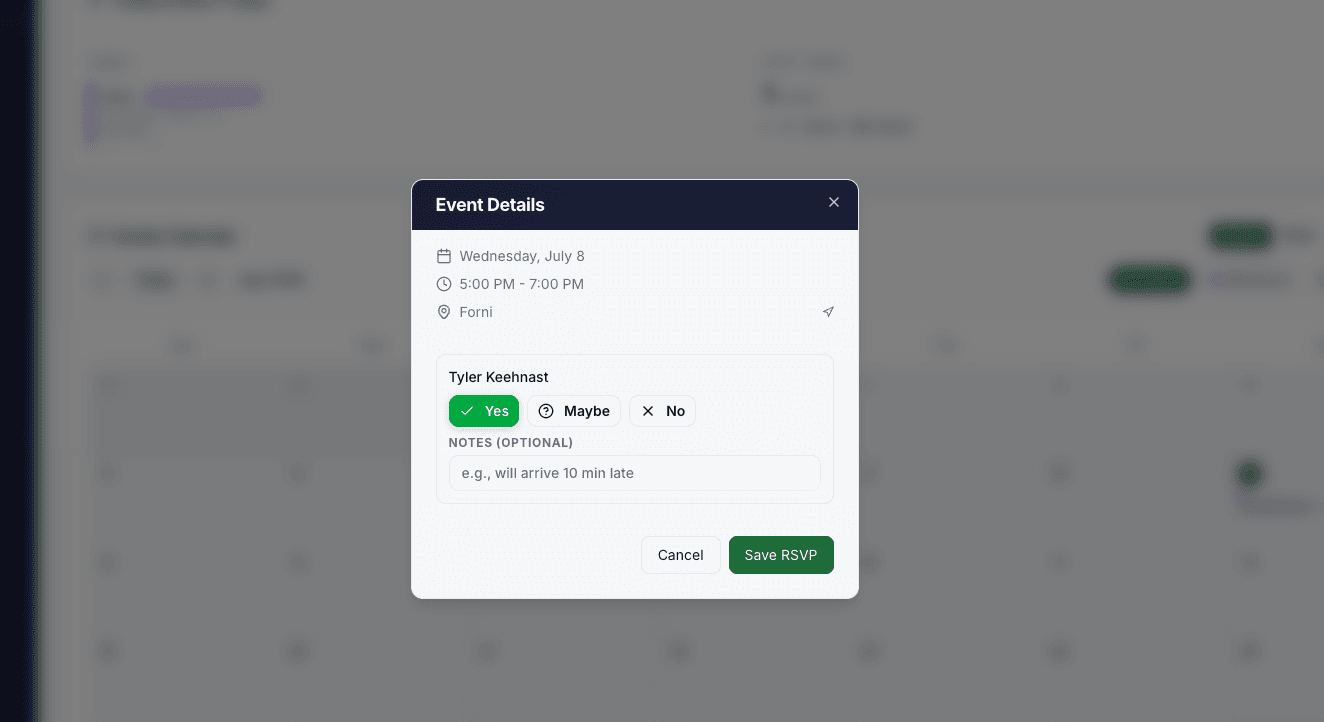
RSVP & Attendance Tracking
Parents RSVP for each event; coaches take attendance from the mobile app. Configurable lead times and defaults keep it low-effort.
Volunteer Signup Categories
Coaches define duties like Snacks, Scorekeeper, or DJ, set the number of slots per event, and enable signups per event type.
Bulk Assign Volunteers
Assign a parent to the same duty across multiple games at once. No more asking the same parent one game at a time.
Volunteer Fairness Tracker
See at a glance how volunteer duties are distributed across parents so the same families aren't always covering.
Late RSVP Change Requests
When RSVPs lock, parents can still request a change and coaches approve — you keep clean numbers without frustrating families.
Polls & Event Attachments
Quick decisions and shared context for every event on the schedule.
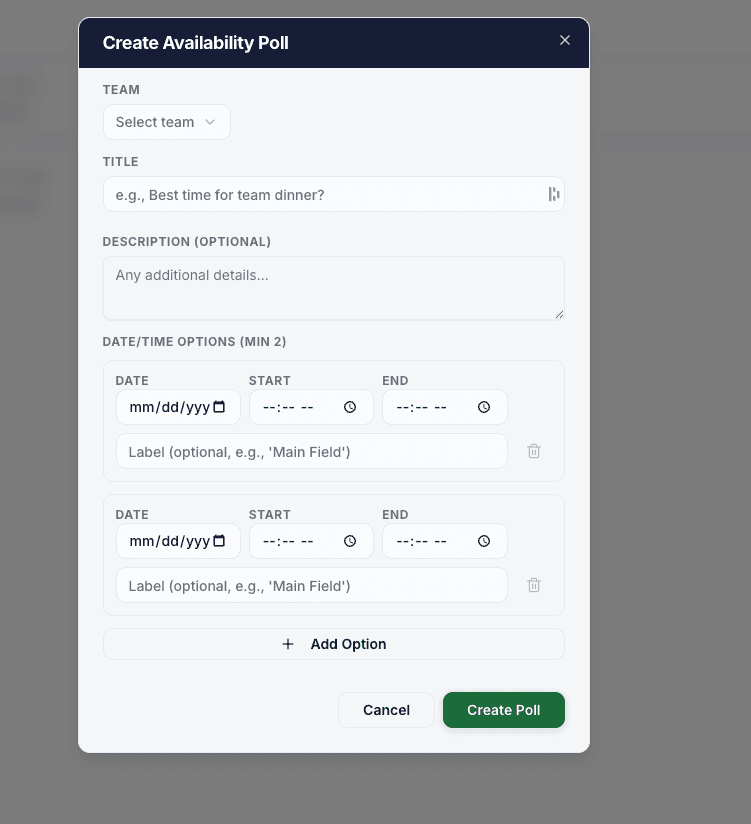
Quick Polls
Coaches launch availability or preference polls in seconds — pick a practice time, choose a tournament, vote on a jersey. Live results as parents respond.
Poll Reminders & Deadlines
Set a close time; the app reminds anyone who hasn't voted. No more chasing down responses in a group text.
Event Attachments
Attach maps, tournament brackets, permission slips, or field diagrams to a specific event. Parents see them right on the event card.
Event Notes
Coaches add a note per event — arrival instructions, what to bring, warmup plan — visible to every family attending.