Features · Registrations & Payments
Everything a real league needs to fill a season
Players, adults, team entries and your store in one cart, with sibling discounts, payment plans, waitlists, custom questions and real-time revenue reporting, all wired to your own Stripe account.
Setup in Minutes
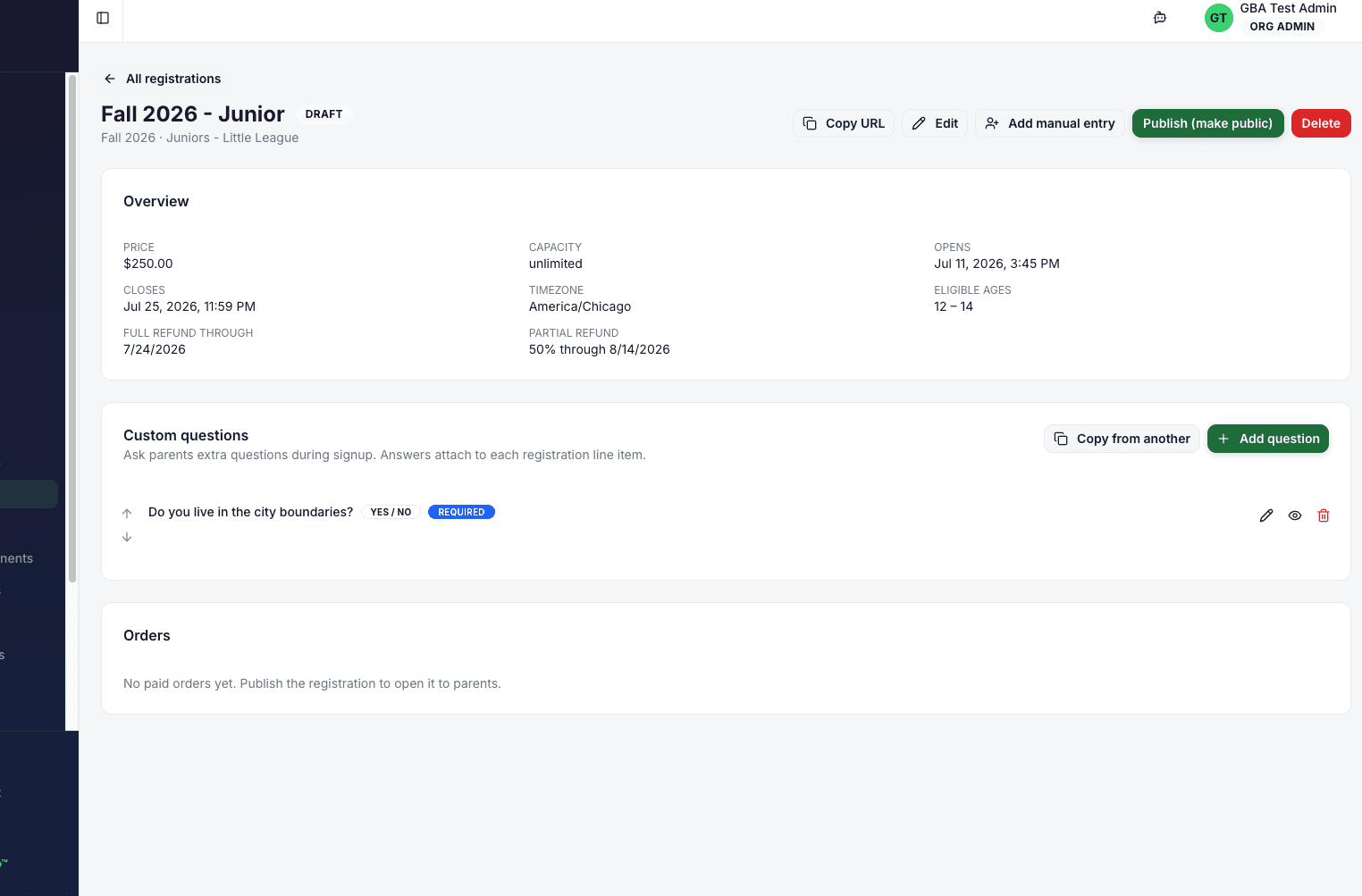
A single setup screen with every knob you'd expect — seasons, dates, ages, capacity, visibility — no menu-diving.
Tied to Seasons & Leagues
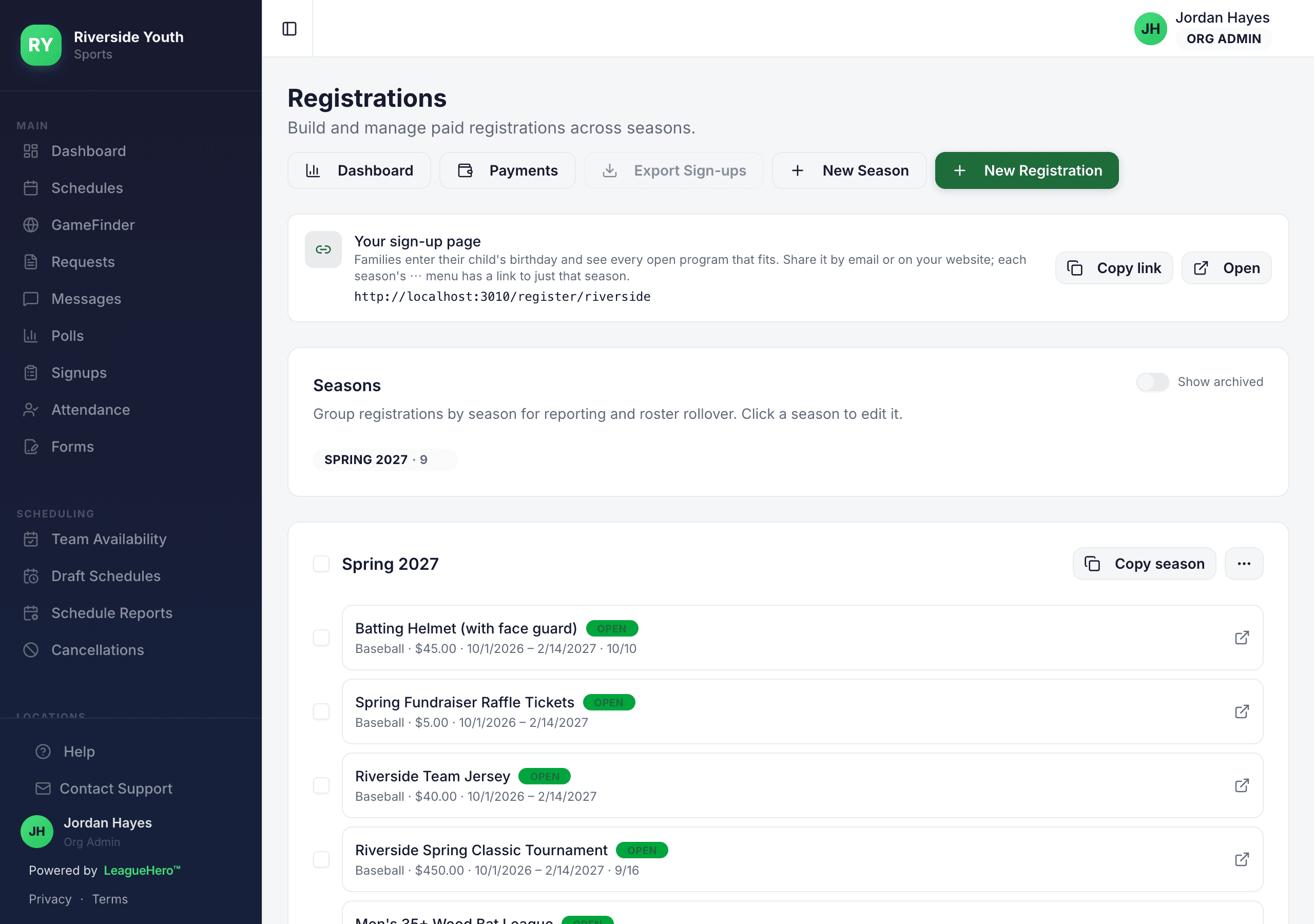
Each registration is linked to a season and a league so rostering, reporting, and scheduling stay connected. No spreadsheet reconciliation later.
Open & Close Dates
Pick the window in your local timezone. The public page auto-opens and closes on schedule; admins can still register walk-ups after close.
Age Eligibility
Set a minimum and maximum age with an age-as-of cutoff date. Parents see only the divisions their child is eligible for.
Play-Up Support
Optionally allow younger players to play up to an older division with a configurable floor — so families can request eligibility exceptions the right way.
Capacity Limits
Cap the number of players per registration. LeagueHero tracks paid vs. held (in-checkout) slots so someone can't double-book the last spot.
Draft, Public, or Private
Save as a draft while you finalize. Publish for public signup, restrict to specific families, or hide entirely from browsers.
Field Toggles
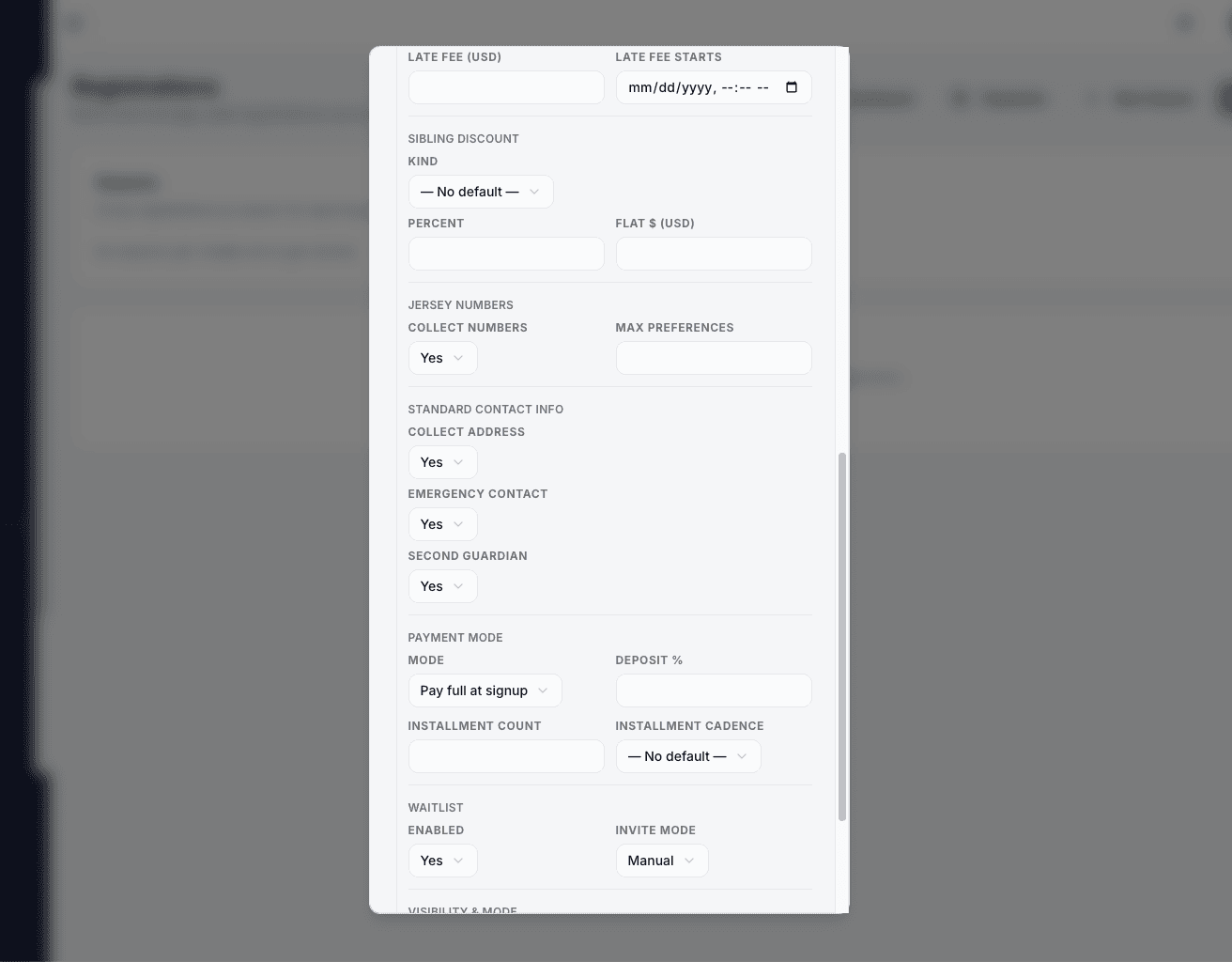
Turn on/off address collection, emergency contacts, secondary guardian, and jersey number preferences per registration — collect only what you need.
Timezone-Aware
Every date and deadline honors the org's timezone so a Chicago league doesn't accidentally close early for a family in Denver.
Players, Adults, Teams and Items
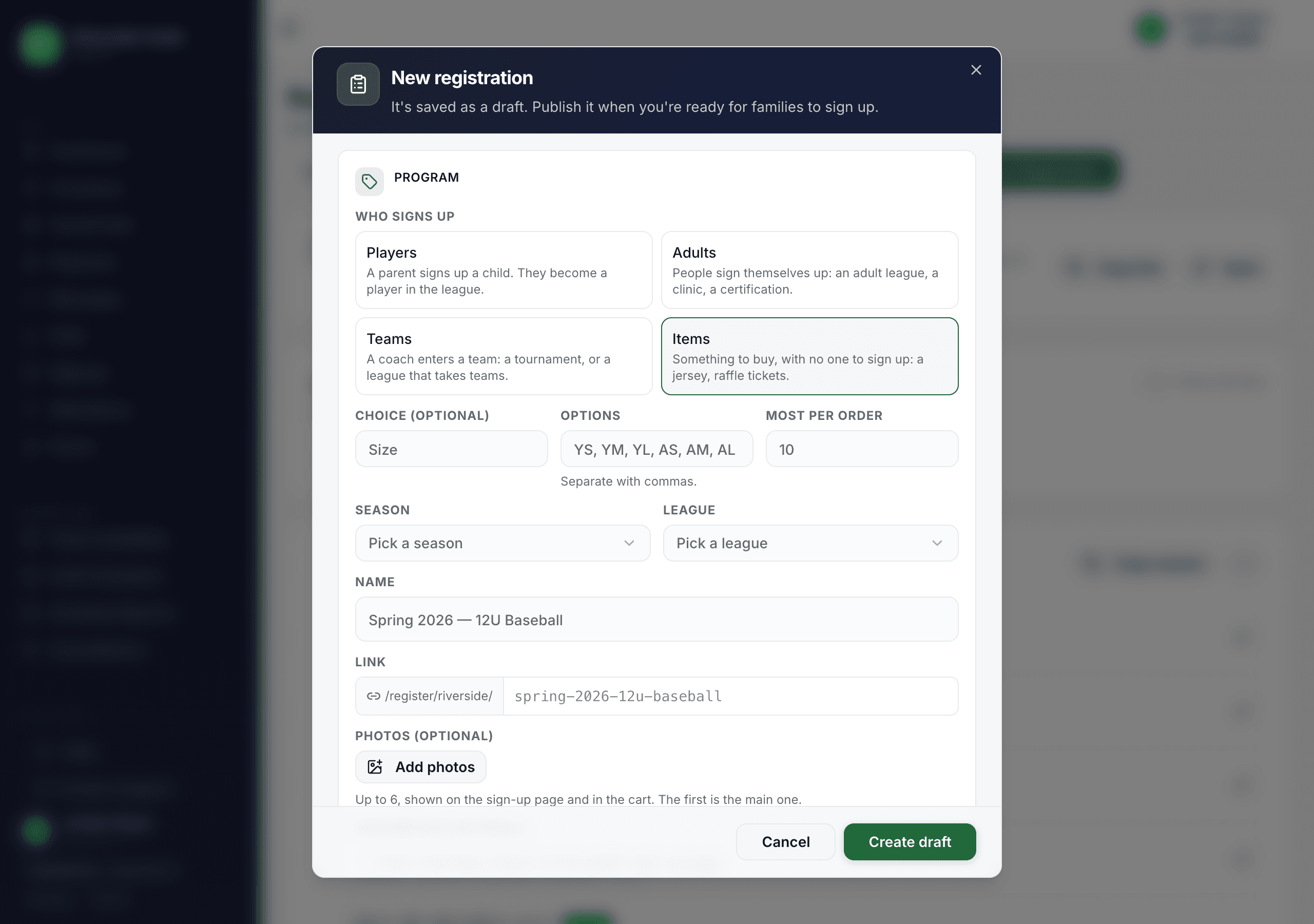
A registration isn't only a child signing up. Pick who signs up and LeagueHero asks for the right details and does the right thing once it's paid.
Players
A parent signs up a child, who becomes a player in the league with ages checked, ready for the draft and team placement.
Adults
Coach clinics, umpire certifications and adult leagues. Set an age range such as 35 and over, and choose whether sign-ups join the league's players.
Teams
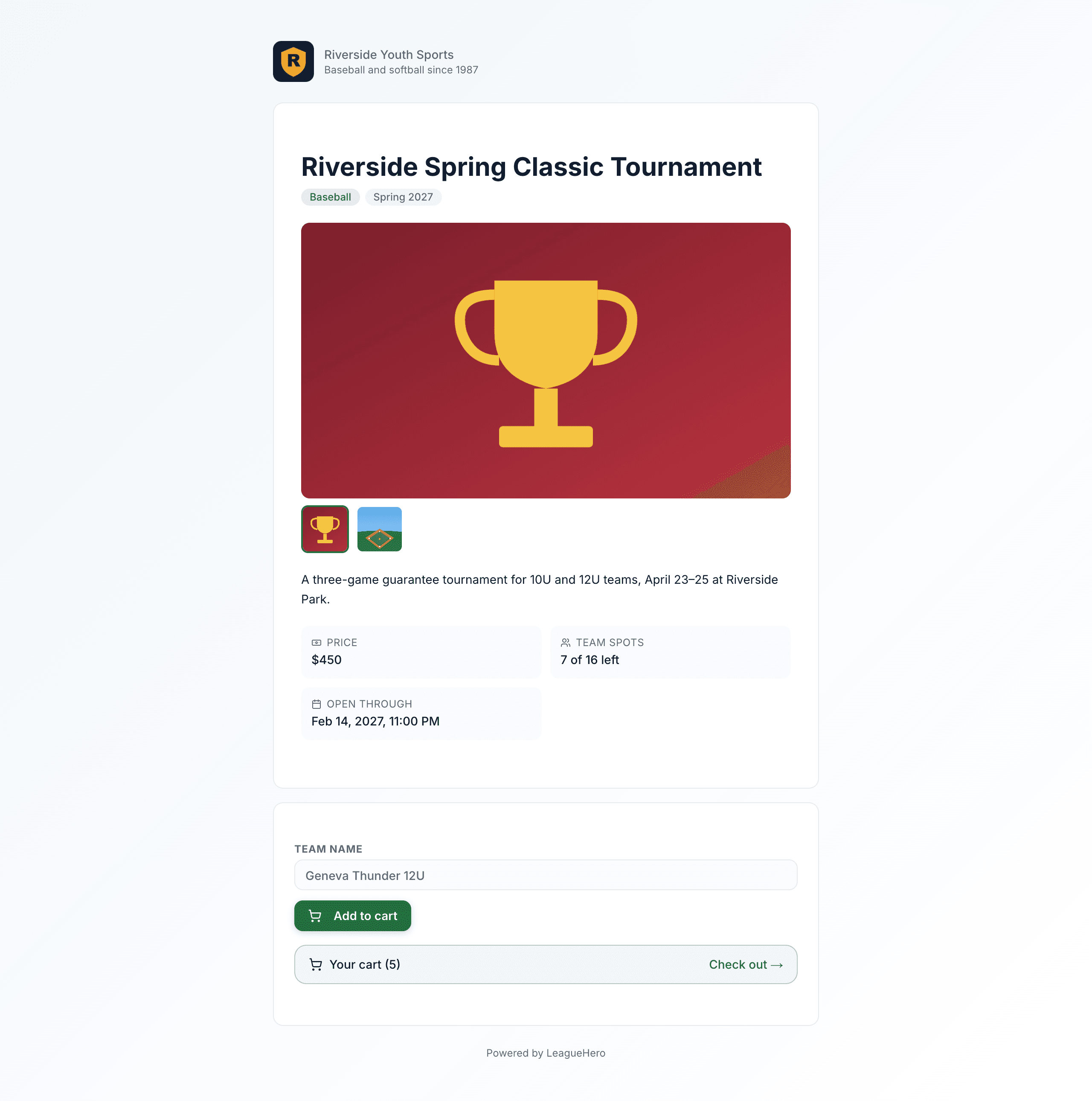
Take tournament or league entries by team. Each paid entry creates the team in your league, on the season's schedule, ready to schedule games.
Items
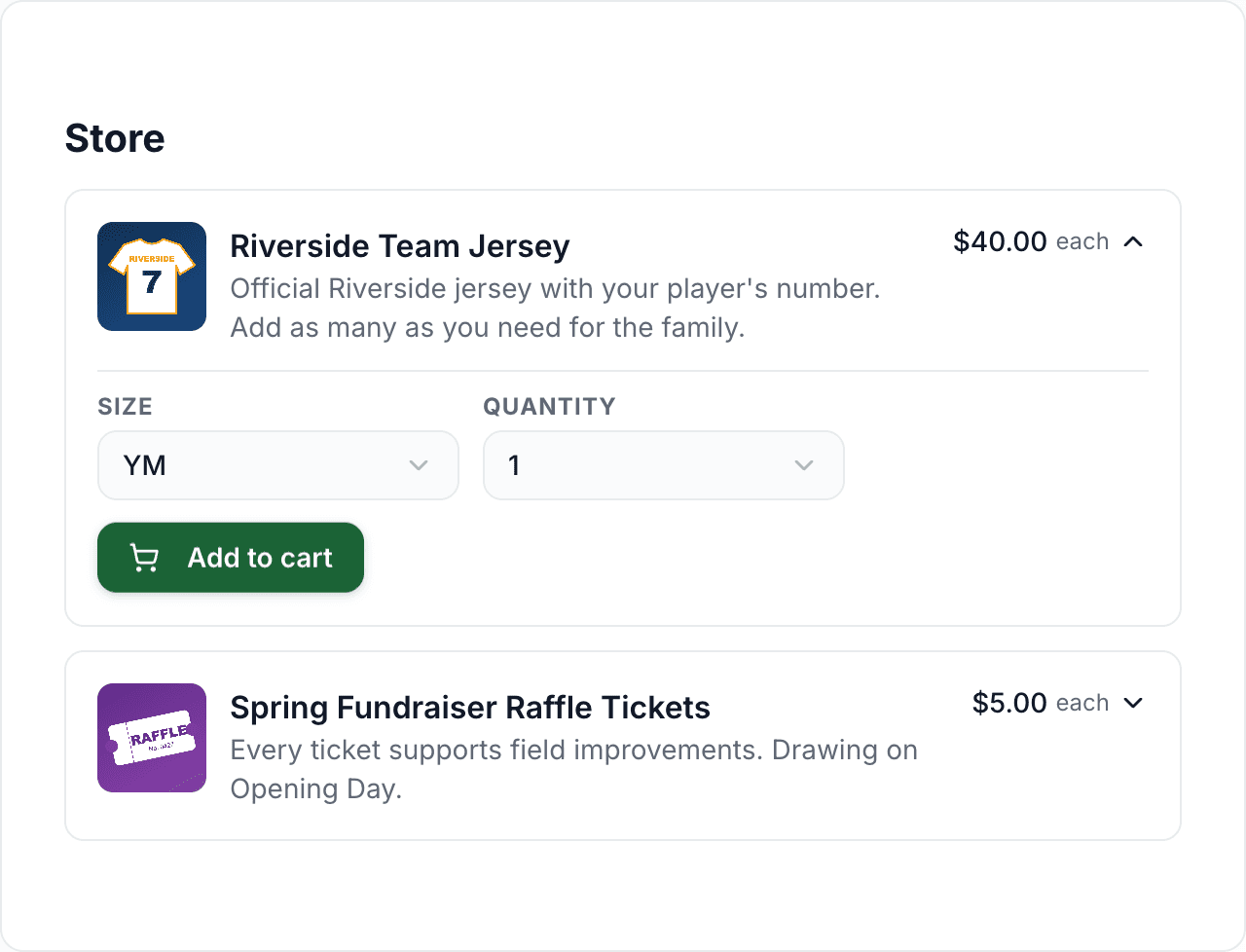
Jerseys, raffle tickets, spirit wear. Set a choice like Size, a most-per-order limit, and how many you have; buyers pick a quantity.
Photos
Add up to six photos to any registration. They show on its sign-up page, beside it in your program lists, and in the cart.
Waitlists for Everything
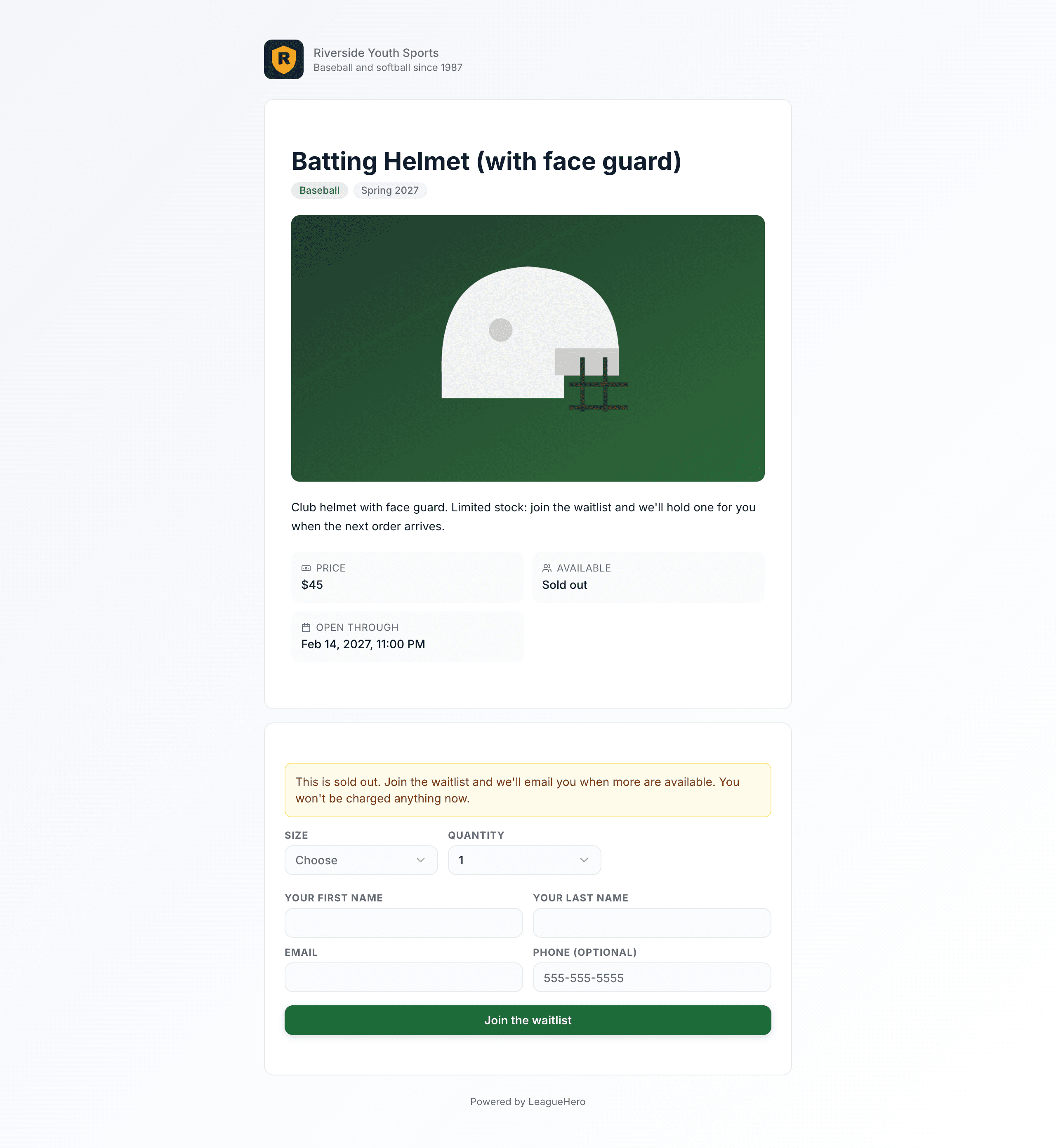
Sold-out jerseys, a full tournament, a full clinic: people join the line for what they want, and an invite holds it for them for 48 hours.
One Cart, One Checkout
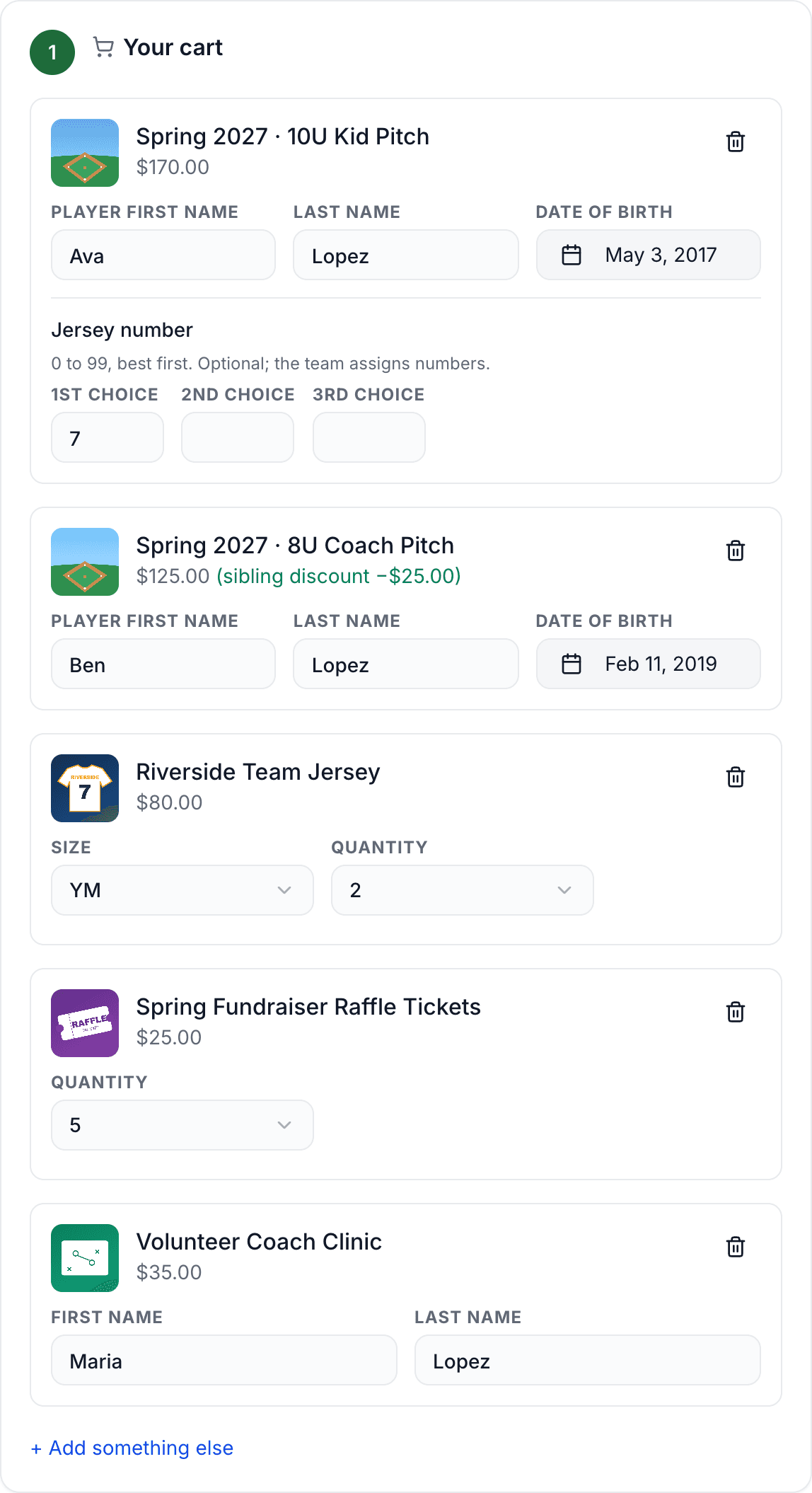
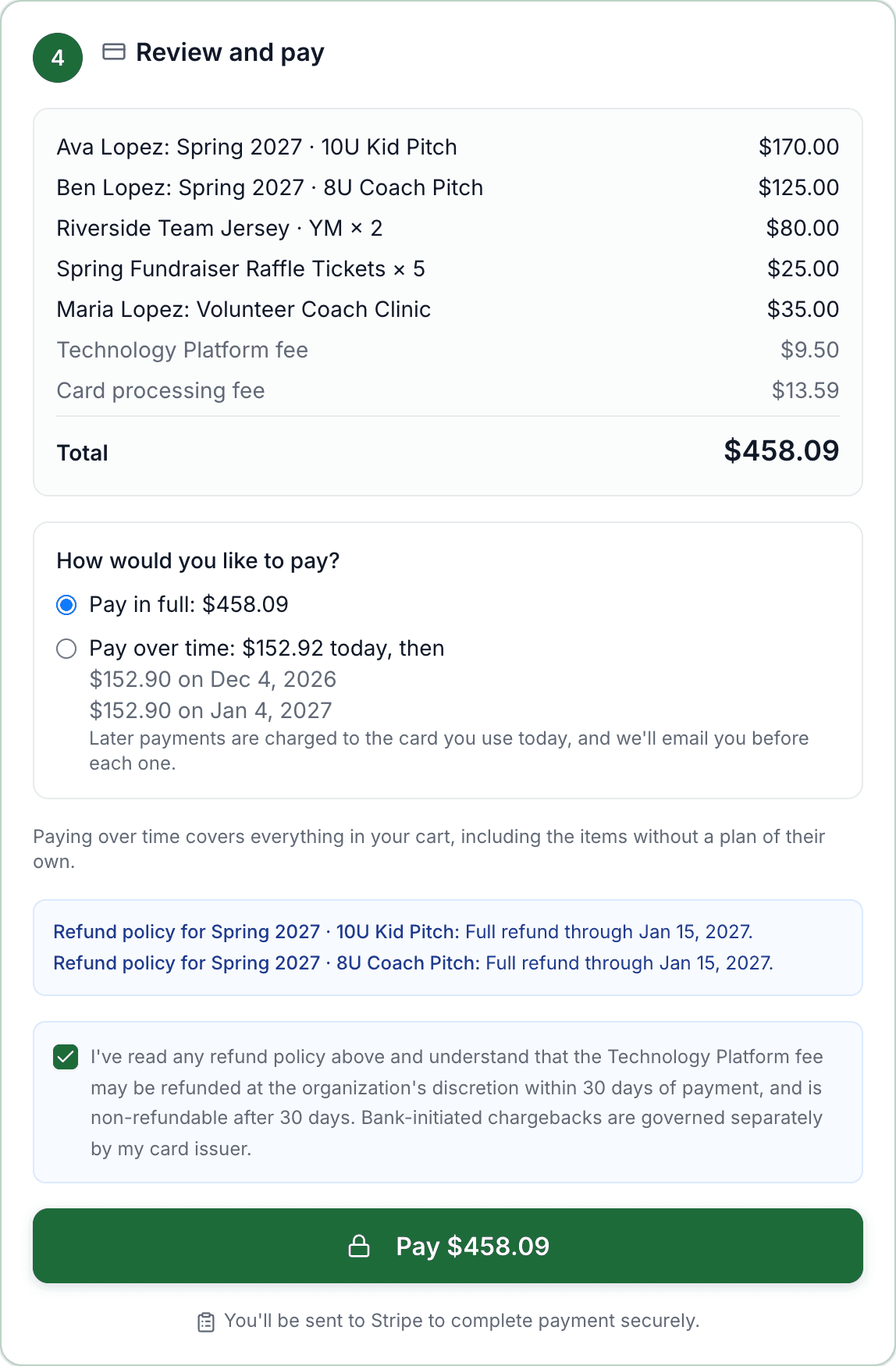
Families add everything they need (both kids' programs, a parent's clinic, two jerseys, raffle tickets) and pay once.
Shop Across Programs
Add to cart from your sign-up page or any registration's own link. The cart stays put if they leave the page or back out of payment.
Sibling Discounts Applied
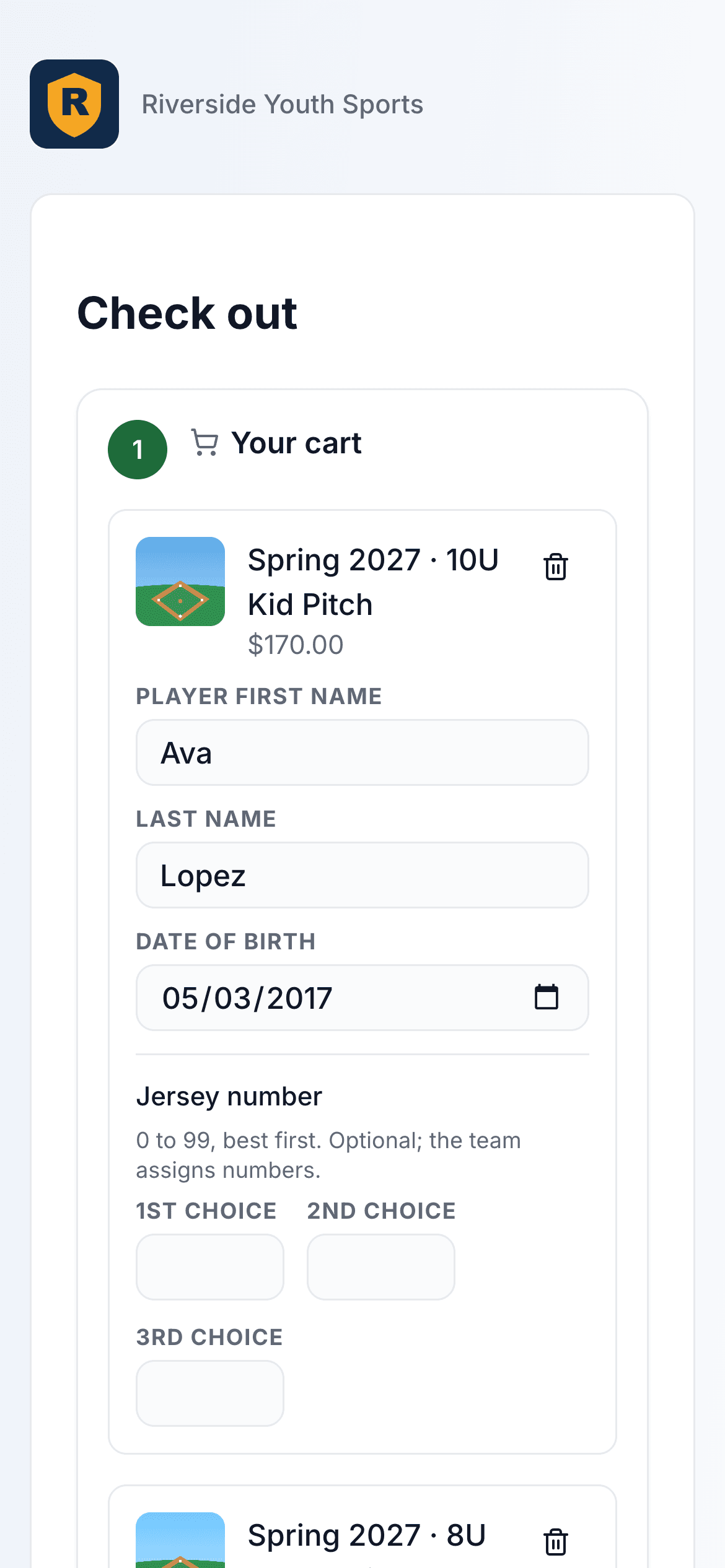
Children in the same cart get your sibling discount automatically. Each program's questions are answered right in the cart.
Pay Over Time
If your programs offer a payment plan, the family can put the whole cart on it and see every payment and date before they pay.
Built for Phones
Most families register from a phone. The cart and checkout are made for a small screen, with Stripe's secure payment page at the end.
Pricing, Discounts & Payment Plans
Everything a real league needs to price a season — early birds, late fees, sibling discounts, deposits and installments, and refund windows.
Base Price
Set the standard registration price in dollars. Applies to every player unless a discount or payment plan changes it at checkout.
Early-Bird Pricing
Offer a discounted price up to a specific date. The public page shows the current effective price so families know exactly what they'll pay.
Late Fees
Add an automatic late fee that kicks in after a chosen date. Encourages on-time registration without you having to chase families.
Sibling Discounts
Choose a percent-off or flat-dollar discount that applies to the second, third, and later children in the same family checkout. Handled automatically at the cart.
Deposit + Installments
Let families pay a deposit up front and the balance later, or split the total into 2 to 12 payments, monthly or every two weeks, right through Stripe.
Refund Windows
Configure a full-refund cutoff and a partial-refund cutoff with a % return. Admins issue refunds in a couple of clicks and every payment has a clean audit trail.
Custom Registration Questions
Ask for exactly what your league needs — from jersey size to medical notes — with a flexible form builder that keeps sensitive data safely tagged.
9 Question Types
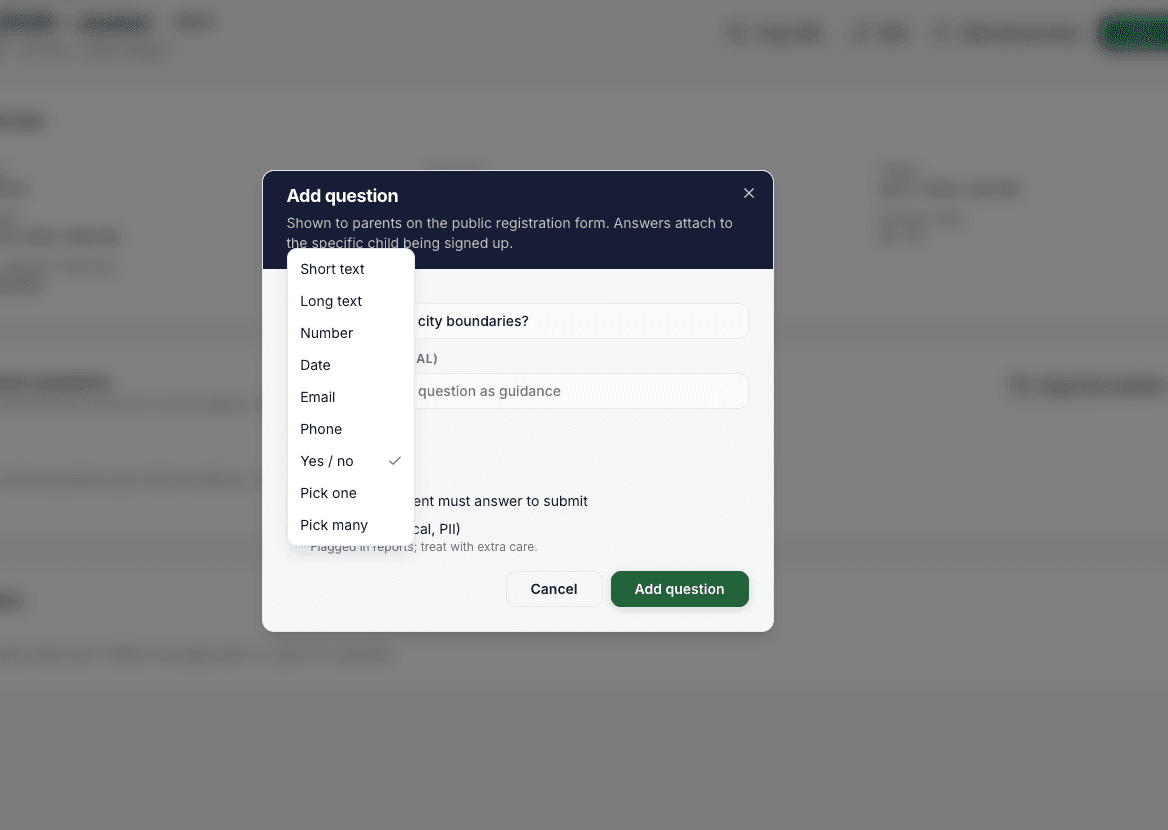
Short text, long text, numbers, dates, email, phone, yes/no, single-select, and multi-select. Everything you need to replace paper forms.
Required & Optional
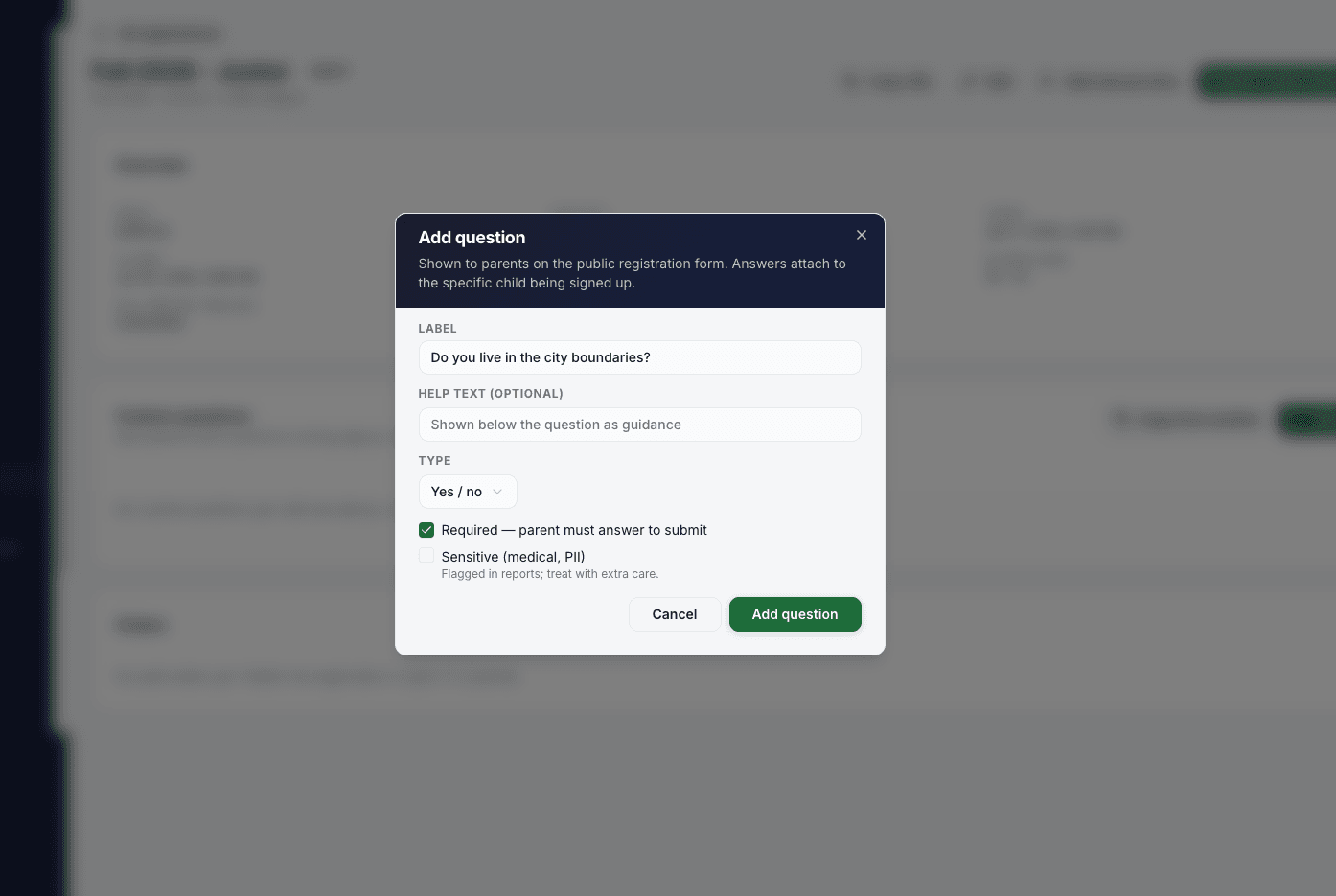
Mark any question required and the form will refuse to submit until it's answered. Optional questions still get captured when families choose to fill them in.
Help Text Per Question
Add a hint under any question — 'as of Aug 31,' 'previous team if applicable,' etc. — so families understand what you're asking without a phone call.
Sensitive / PII Flag
Mark medical notes, allergies, or other sensitive answers as PII. Reports and exports flag those columns so treasurers and volunteers only see what they should.
Choice Options
Single-select and multi-select questions take a list of options — jersey sizes, position preferences, uniform pickup locations — with an easy inline editor.
Jersey Number Preferences
Built-in support for ranked jersey number preferences (up to N choices). Coaches see the whole list when assigning numbers, so nobody gets their fifth pick without knowing why.
Public Registration Page
Every registration gets its own public URL your league can link from anywhere — with a mobile-friendly, multi-child family flow.
Public URL Per Registration
Each registration gets a stable public link. Post it on your website, email it to your list, or share it in team group chats — parents click and enroll without an account.
Multi-Child Family Flow
One family adds multiple children in a single checkout. Sibling discounts apply automatically to the second and later kids — no coupon codes to hand out.
Address Collection
Optional address block for shipping uniforms or verifying district. Toggle off if you don't need it.
Emergency Contact
Capture an emergency contact with name, relationship, and phone — the info coaches actually need on the sideline.
Secondary Guardian
Second parent, step-parent, or grandparent can be added as a secondary guardian with their own contact info and login access.
Jersey Preferences
Ranked jersey number choices (up to N) collected right in the form. Coaches see the whole list when assigning uniforms.
Waitlist, Payments & Refunds
The plumbing that makes a paid registration actually work — capacity holds, waitlist invitations, Stripe payments, and clean refund flows.
Waitlist Enabled by Default
When capacity is set, LeagueHero opens a waitlist once you hit the cap: for a child, an adult, a team, or a number of an item. People join without paying and you decide how invitations flow.
Auto or Manual Waitlist Invites
Choose automatic — when a seat opens, the next family gets an offer email — or manual, where an admin picks who to invite next. Either way it's tracked.
Held Slots During Checkout
When a family starts checkout, their seat is held for a few minutes so nobody else takes it. If they don't finish, the slot opens back up automatically.
Stripe Connect
Accept credit cards through your own Stripe account. You control who pays platform fees and Stripe fees; funds settle to your bank directly.
Payment Plan Scheduling
Deposit at checkout, then scheduled installments through Stripe. Families see their upcoming charges; you see the full payout timeline.
Refunds & Adjustments
Issue full or partial refunds — honoring the refund windows you configured, or overriding when you need to. Every action has an audit trail for the treasurer.
Revenue Dashboard
Real-time counts, revenue, payouts, and outstanding balances. Filter by season or league to answer any board question on the fly.
Manual / Walk-Up Registrations
Admins can register a family manually and record a cash or check payment so the roster stays complete and the reports still tie out.
Bulk Import
Roll a returning season's roster into a new registration to save the returning families from starting from scratch.