Features · Scheduling & Booking
Every field, every game, every practice — in one calendar
Build seasons, let coaches request time, coordinate opponents, and keep every event tied to the field, weather, and directions that matter on game day.
Scheduling & Booking
Flexible tools for managing field time, availability, and game logistics.
Schedule Builder
Create schedules with date ranges, recurring time slots, and multi-week seasons. Assign fields and set availability windows.
Field Management
Add and manage your fields with custom availability. Assign fields to schedules and control which leagues can book them.
Auto-Book
Enable auto-approval per field and league combination. Trusted bookings are confirmed instantly without admin review.
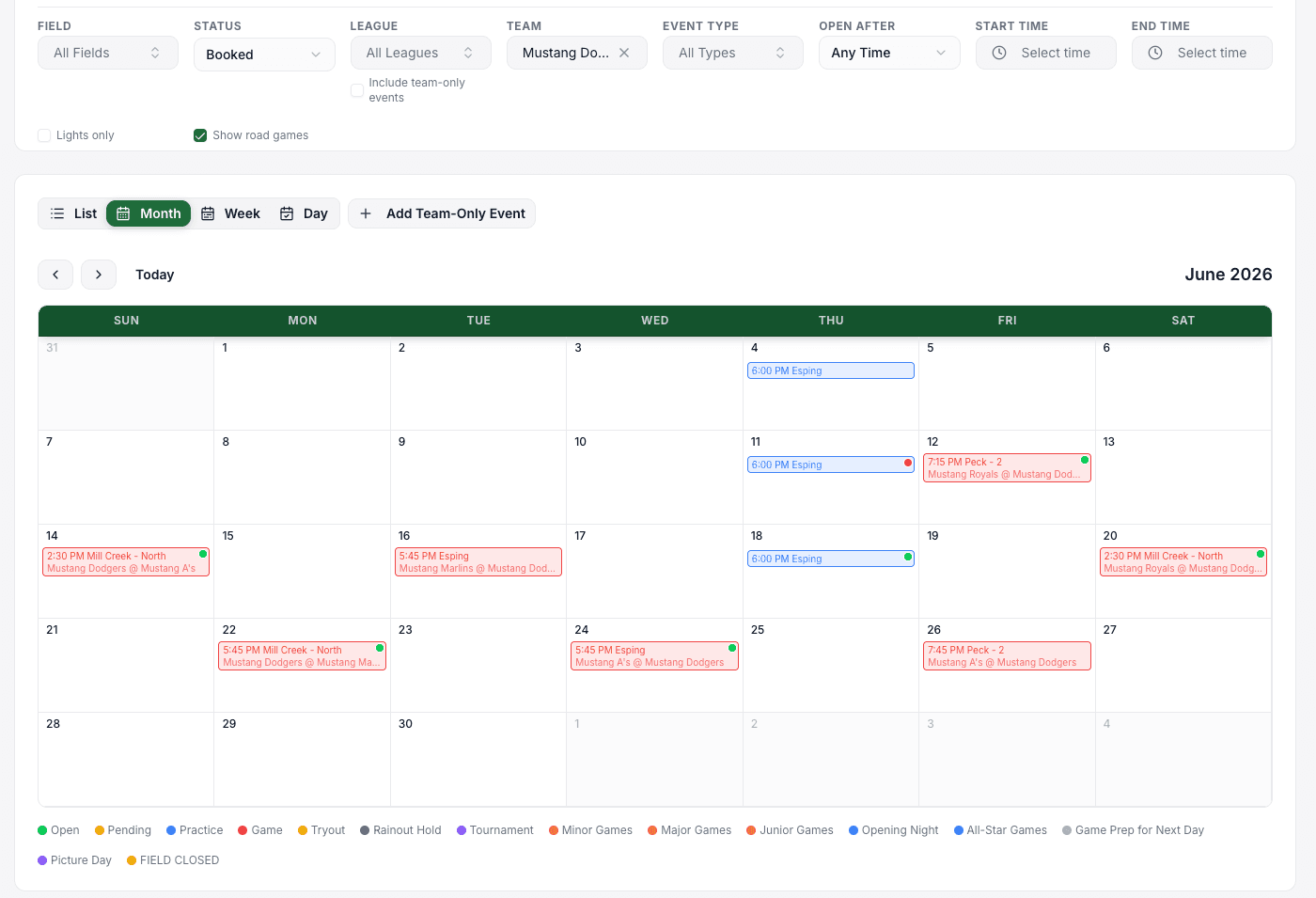
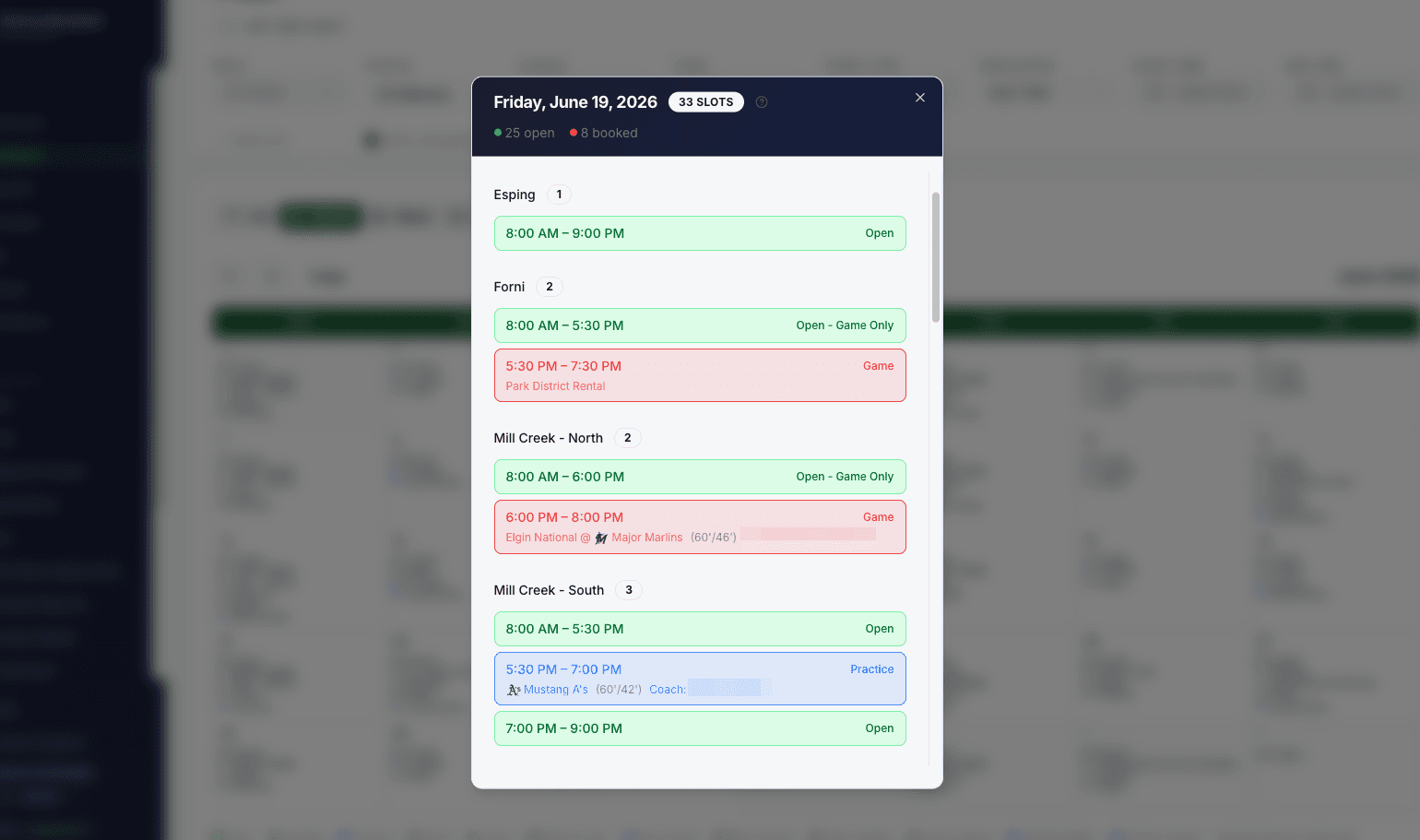
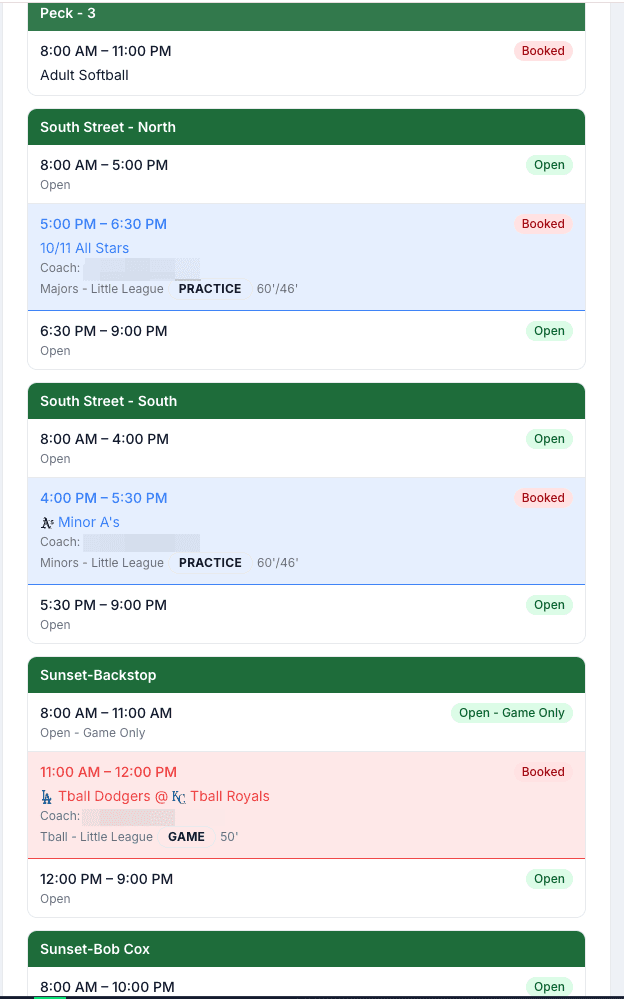
Calendar & List Views
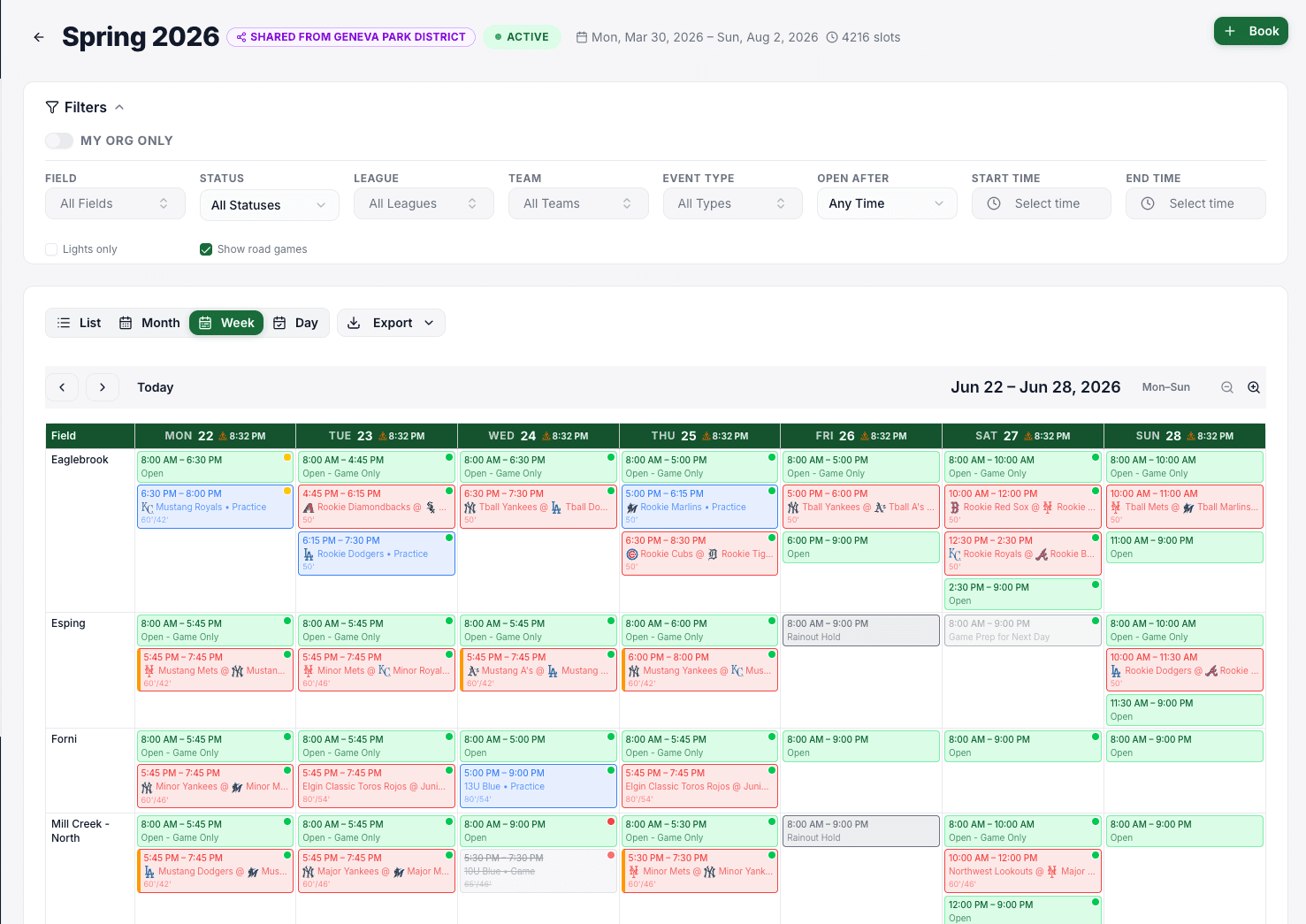
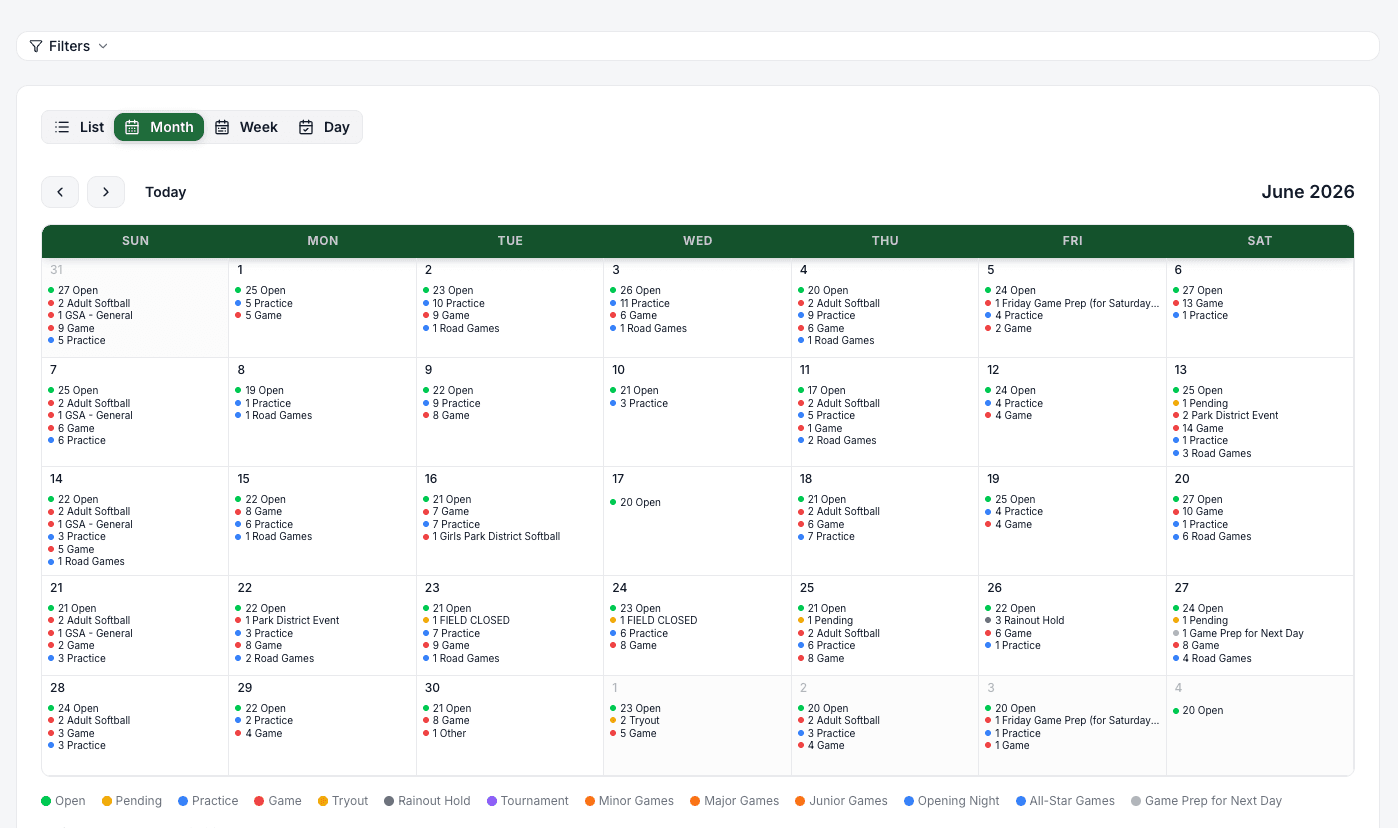
View schedules in a visual calendar or a detailed list. Filter by field, status, and date to find exactly what you need.
Road Games & Away Locations
Coaches can add road games with opponent info, addresses, and directions right in the calendar — no separate spreadsheet.
Weather & Sunset Awareness
Forecasts show up on upcoming events. Fields with lights automatically calculate turn-on time from sunset so games don't get called for darkness.
Field Info & Directions
Attach maps, parking notes, and rules PDFs to each field. Every event shows a one-tap Directions link for parents.
Calendar Subscriptions
Every parent and coach gets a personal calendar feed. Sync to Google Calendar, Apple Calendar, or Outlook — schedules update automatically.
Requests & Approvals
A streamlined workflow from request to confirmation, with the checks that matter.
Booking Requests
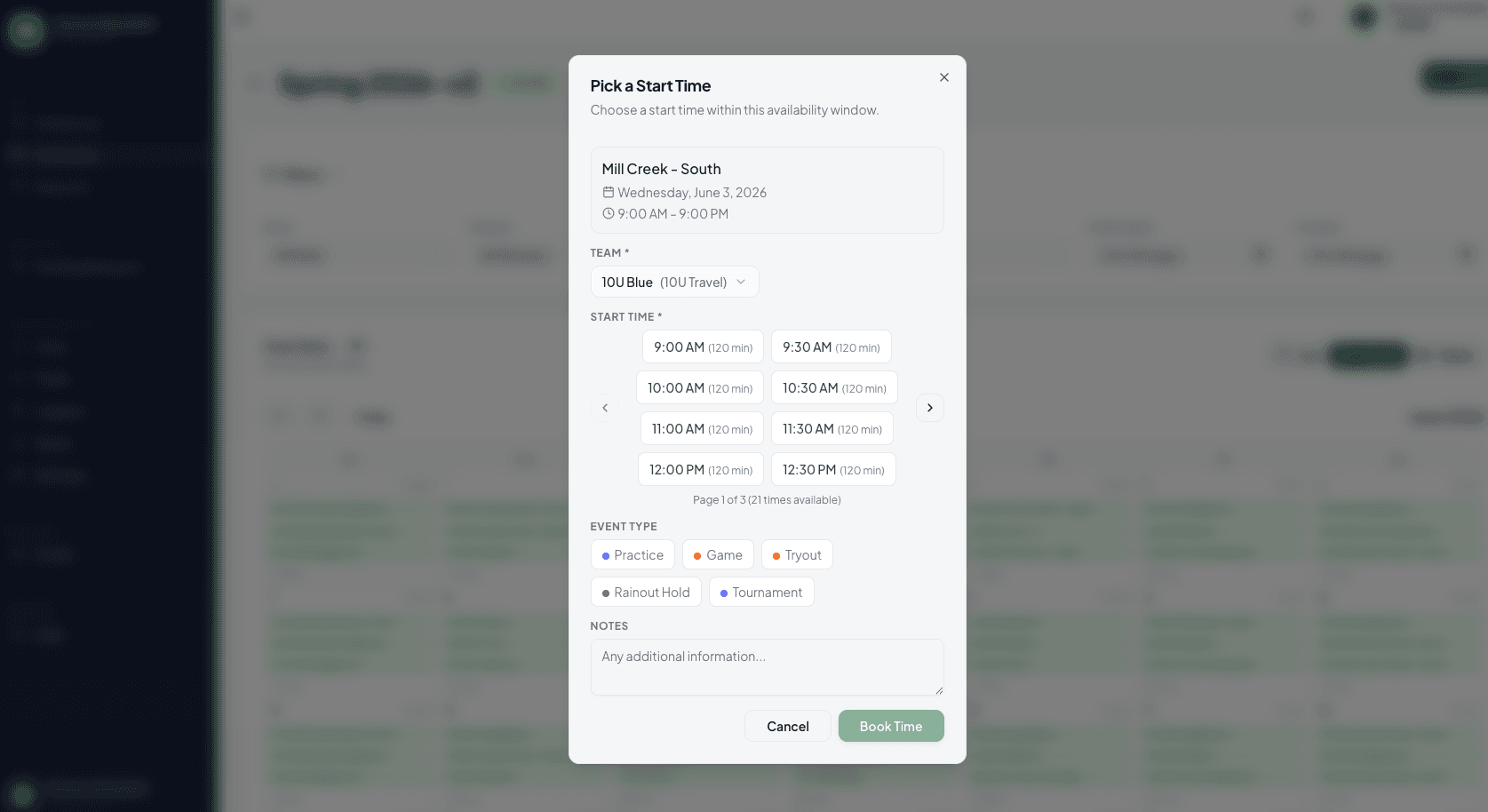
Coaches browse available slots and submit booking requests for practices or games. Admins review and approve from one dashboard.
Opponent Coordination
Game requests automatically notify the opposing team's coach for approval before finalizing. No more phone tag.
Weekly Booking Limits
Set per-league caps on how many bookings each team can make per week, ensuring fair access to field time.
Email Notifications
Automated emails for invitations, approvals, rejections, and opponent requests keep everyone in the loop.
Field Owners & Leagues
Field-owning organizations (townships, athletic complexes, schools) share their schedules in real time with the leagues that use their fields — one calendar, no phone tag, no double-bookings.
Real-Time, Two-Way Sync
When a league books a slot, the field owner sees it instantly. When the owner blocks a field for maintenance, every league sees it at the same time. No exports, no email chains.
One Calendar Across Every League
Field owners see every booking across every league on their fields in a single unified calendar. Track utilization by league, spot conflicts, and manage the facility as a whole.
Choose What Each League Sees
Set visibility per share — leagues can see only open slots, only that a slot is taken, or the full booking detail — so you share what you need to and no more.
Approval Routing
Give leagues self-service booking (they manage their own slots) or require field-owner approval on every request. Each shared schedule can be configured independently.
Per-Field Access Control
Restrict which fields on your calendar a specific league can book. A township can share its baseball diamonds with the little league and its soccer fields with the youth soccer club, from the same account.
League-Specific Field Customization
Each league can rename fields, add their own attachments (maps, permission slips), and even set league-specific basepath sizes on the same physical field — without changing the field owner's config.
Invite-Based Connections
Field owners invite leagues by email. Both sides confirm the connection, exchange abbreviations for cleaner display, and can revoke access at any time.
Cross-Org Notifications
When a league books, cancels, or reschedules, the field owner is notified automatically. When the owner blocks a field, affected leagues are told immediately.
Field Status & Cancellations
Communicate field conditions in real time and cancel affected events across one or many locations — with the notifications and audit trail leagues need on a rainy Saturday morning.
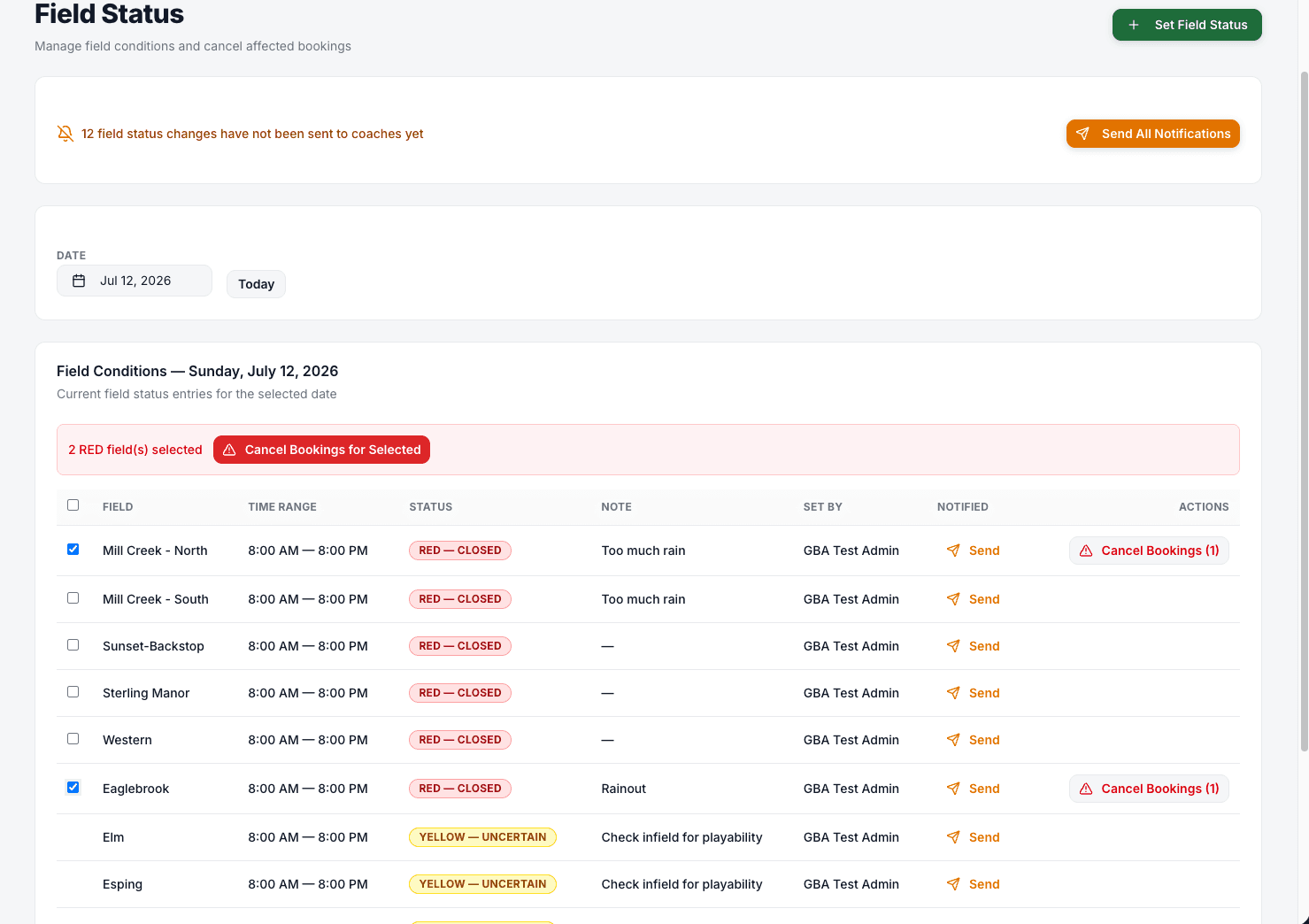
Green / Yellow / Red Indicators
Set a field's condition for a specific date and time window. GREEN is playable, YELLOW is caution (soft field, weather watch), RED is closed — each with an optional note.
Update Multiple Fields at Once
Apply the same status to every affected field in a single click — when a storm rolls through, you don't want to click through every field individually.
Bulk Cancel Events
Cancel every booking on a field during a chosen time window with one required cancellation reason. Perfect for lightning delays and field closures.
Preview Before You Cancel
See exactly which bookings and teams will be affected before you confirm. No surprise cancellations for the U-8 team when you meant the U-10 field.
Automatic Notifications
Coaches and parents are notified of cancellations by email and push. The reason you entered goes with the notification so nobody has to ask what happened.
Rebook Cancelled Games
Once conditions clear, cancelled games can be rebooked into a new open slot in a couple clicks — no manual re-entry.
Schedule Maker
A guided workflow that generates a full-season game schedule from your league, teams, weekends, and fairness rules — then hands it over for review before you publish.
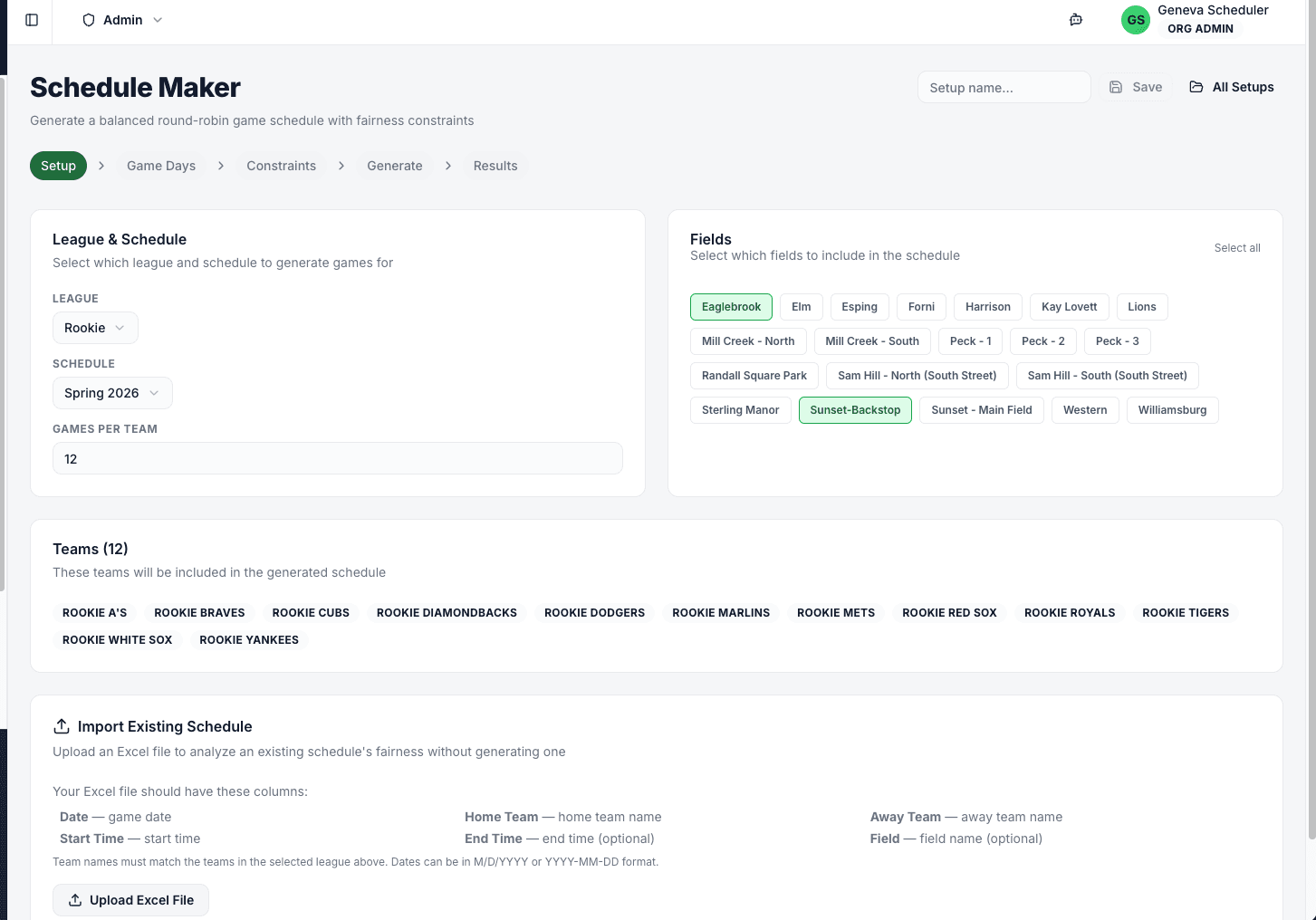
Five-Step Wizard
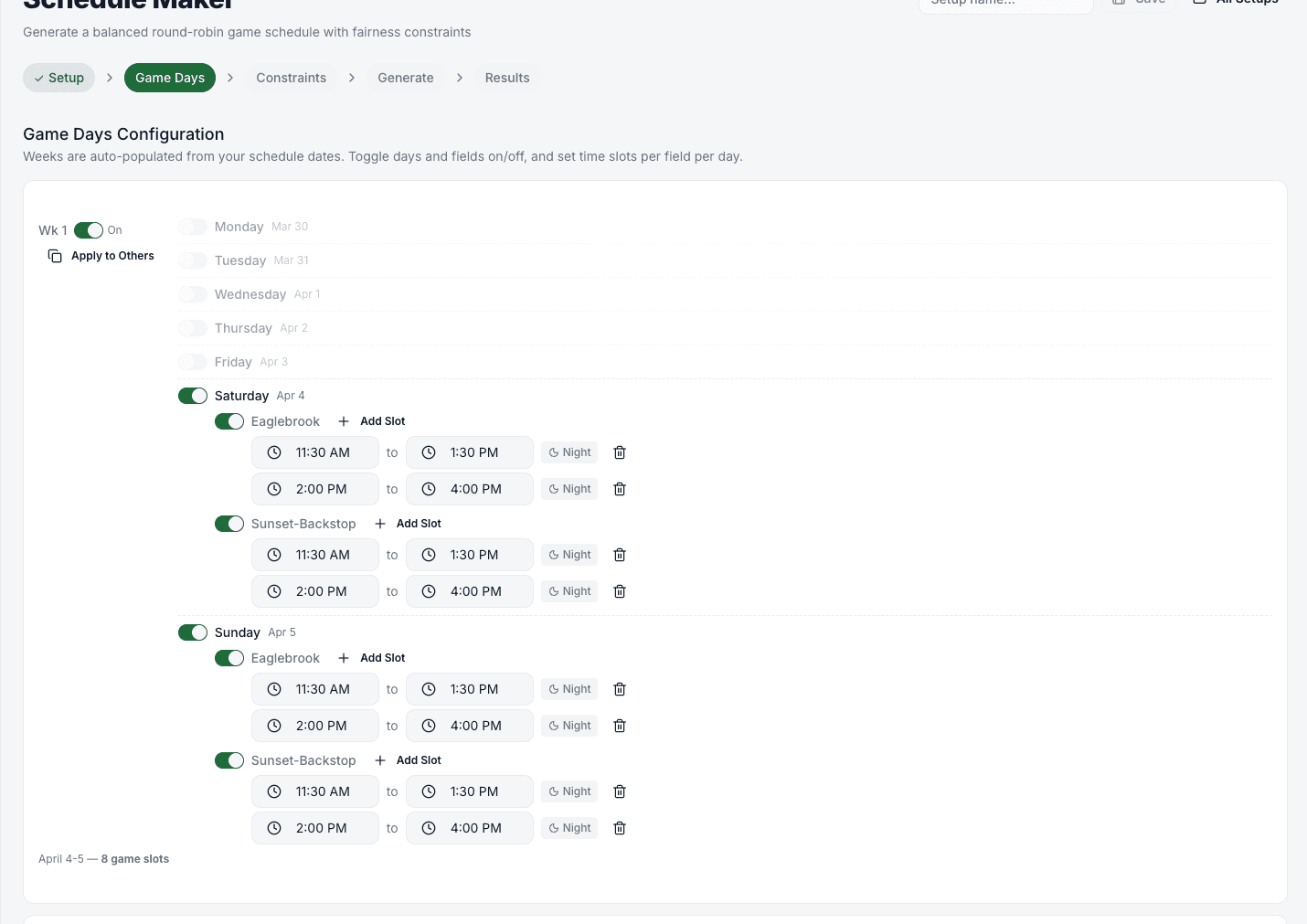
Setup → Game Days → Constraints → Generate → Results. Walk through in a few minutes; save your setup and come back to tweak it.
Per-Weekend Time Slots
Define exactly which weekends have games and which time slots on which fields are available. Mark night games so the balancer knows.
Balance Home/Away, Fields, and Timeslots
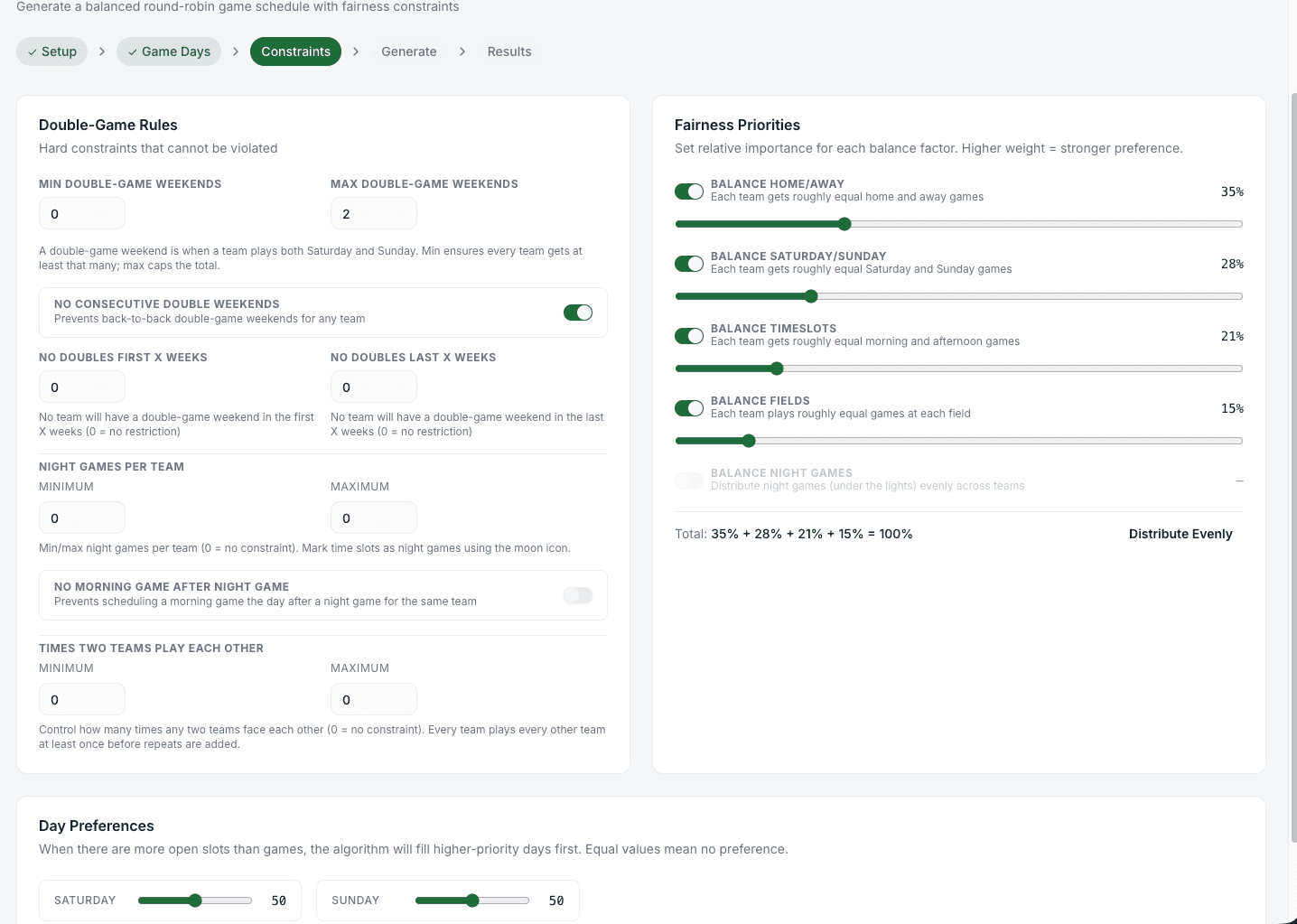
Optional toggles balance each team's home/away split, Saturday/Sunday mix, timeslot variety, and field variety across the season.
Night Game Fairness
Cap how many night games each team plays, avoid a morning game right after a night one, and set a morning cutoff so families aren't hit with 8 AM after 9 PM.
Double-Header Controls
Set minimum and maximum double-game weekends per team, ban consecutive doubles, or protect the first / last N weeks from doubles entirely.
Tunable Weights
Each fairness rule has a weight you can dial up or down. The generator finds the schedule that best balances your priorities.
Review, Adjust, Publish
The Results step shows every game with per-team stats. Swap a matchup, move a game, or regenerate with tweaked constraints before it goes live.
Fairness Report
The Results step includes a per-team fairness report — home/away split, weekend mix, timeslot variety — so you can see the tradeoffs before you commit.